Genuinely looking for how to budget without a spreadsheet? If yes, then this article is for you!
If you don’t know where your money went last month, it’s not because you’re bad with money. It’s because you’re not tracking it. That’s it, that’s the whole reason.
I say this as someone who’s tracked money for a living for over ten years (you can read more about me here if you’re new around here). Nobody is born knowing where their money goes. You either write it down somewhere, or you find out the hard way on the 28th of the month.
The trouble is, most of the ways we’re told to track money are, frankly, a bit boring. A spreadsheet with fifteen tabs. An app that wants your online banking login before it’ll even let you in. If that sounds like a chore rather than something you’d actually keep up, you’re not the problem. The system is.
Here’s how I’d budget without a spreadsheet, and without connecting your bank account either, if you want something that actually feels doable.
Why you don’t actually know where your money goes
This isn’t a guilt trip. It’s genuinely just maths. If you’re not recording your income and outgoings somewhere, you can’t know your numbers, the same way you can’t know the score of a match you didn’t watch.
It’s more common than you’d think, too. One survey by insolvency firm Creditfix found that only around one in five UK adults log their outgoings every month, and more than half couldn’t say exactly how much was in their bank account at that moment. Separate research from Sunlife found that when people do budget, a spreadsheet is actually one of the less popular methods, well behind just keeping a rough idea in your head or jotting things in a notebook.
So the “I should track my spending, but I don’t” feeling isn’t a personal failing. It’s the default for most people. The fix isn’t willpower. It’s picking a system boring enough to be quick, but engaging enough that you’ll actually open it again next month.
The trouble with spreadsheets (and bank-linked apps)
Most budgeting advice points you towards one of two things.
Option one is a spreadsheet: They’re free, flexible, and if you love a good formula, genuinely brilliant. But if you don’t, they’re a wall of numbers you have to build yourself, remember to update, and probably break at some point by deleting the wrong cell. I love tracking money, and even I find a spreadsheet a bit dull to sit down to.
Option two is a bank-linked app: These connect to your current account through Open Banking and pull your transactions in automatically, which is genuinely clever and useful for a lot of people. But it also means handing over your bank login to a third party, which plenty of people simply don’t want to do, whatever the security assurances.
If that’s you, you’re not being paranoid. You’re allowed to just prefer keeping your bank details to yourself.
There’s also a free, no-nonsense middle option worth knowing about: MoneyHelper’s Budget Planner, run by the government-backed Money and Pensions Service. It doesn’t ask for any bank details, walks you through your income and outgoings, and gives you a breakdown at the end. It’s a genuinely good starting point if you’ve never budgeted before and want something free.
Where it’s more limited is that it’s built as a one-off calculation rather than a monthly habit, and it doesn’t have a way to plan for irregular costs like Christmas or car insurance.
That gap, something that isn’t a spreadsheet, doesn’t touch your bank account, and is designed to be revisited every month, is exactly why I built the Savvy Budget Reset.
What the Savvy Budget Reset actually does
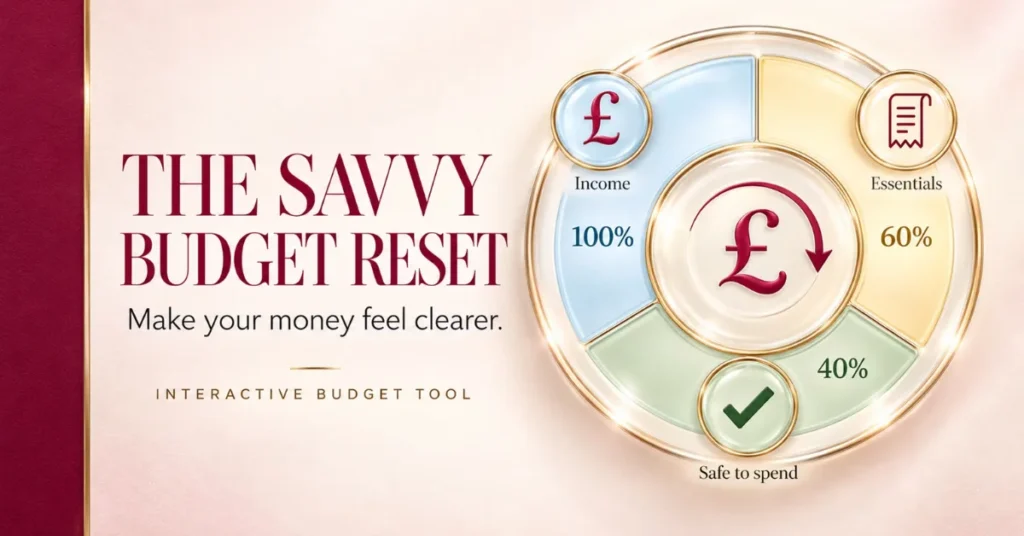
The Savvy Budget Reset is an interactive tool I created to do everything a budgeting spreadsheet or app would do, minus the boring bit and minus connecting your bank account.
Quick, honest note: this is my own product, not something I’m being paid to promote. I built it because I couldn’t find anything that fit what I wanted, so if that’s useful context as you read on, there it is.
Income, essentials and subscriptions
You start by entering your income, then your essentials, the fixed costs like rent, bills and food that don’t move around much. If you haven’t gone through your household bills in a while, it’s worth doing that first; my guide to saving money on bills walks through where most people find the easiest wins before you sit down and input your numbers here.
From there, you list your subscriptions, and the tool flags the option to cancel any you’ve spotted you don’t use. It’s a small step, but it’s often the one that turns up genuine savings, since subscriptions are exactly the kind of cost that quietly renews without you noticing.
Savings and sinking funds
Once your regular numbers are in, the tool auto-populates your savings, and this is where sinking funds come in.
A sinking fund is simply money you set aside gradually for something you know is coming but that doesn’t happen every month, think Christmas, an annual insurance renewal, or your car’s MOT. Instead of finding £400 all at once when the bill lands, you spread it out, so by the time it arrives, the money’s already there.
The Savvy Budget Reset has sinking funds built in. You add what you’ve got coming up, and it works out how much you need to put aside each month to hit that goal by the date you need it. That calculation is the part most people give up on doing by hand, so having it done automatically is genuinely useful, not just a nice extra.
Once a sinking fund pot is building up for something further off, it’s worth knowing where to actually keep it. My guide to Premium Bonds covers one popular option if you want that money doing a bit more while it waits.
Doing your 15-minute monthly reset
Once everything’s set up, using it each month takes about 15 minutes. That’s roughly the length of one coffee break, once a month, to actually know what’s going on with your money instead of guessing.
At the end of your monthly reset, you get a clear breakdown: how much you’ve got to spend, how much you need to save, and a set of goals for the month ahead. It’s designed to be something you look forward to opening rather than something you dread, which, if you’ve ever avoided checking your bank balance because you didn’t want to know, will make sense as a genuinely different feeling.
It won’t do everything an app that reads your bank transactions automatically would do. You’re inputting the numbers yourself, not having them pulled in for you. What you get in return is a tool that doesn’t need your bank login, doesn’t feel like admin, and keeps you accountable the way an app with no input from you never quite manages to.
Is a paid budgeting tool worth it if there are free options?
It’s a fair question, and I’d rather answer it honestly than pretend there’s no choice to make.
If you want something completely free and don’t mind a one-off exercise rather than a returning habit, MoneyHelper’s Budget Planner is a solid, trustworthy place to start, and it costs nothing.
If you want something built specifically to be revisited every month, that handles sinking funds automatically, and that’s been designed to feel more like a five-minute check-in than a finance task, that’s where the Savvy Budget Reset comes in. I kept the price under a tenner, £9.99, on purpose, and it’s a one-off cost for lifetime use rather than a subscription. You’re not paying £5 a month forever for something you’ll use twice and forget about.
Neither option is wrong. It genuinely depends on whether you want free-and-manual-effort, or a small one-off cost in exchange for a system that’s already built and ready to use every month.
How to get the Savvy Budget Reset
If you want to get your hands on it, drop the word RESET in the comments below this post, along with your email address so I know where to send it, and I’ll get the link straight over to you. It’s £9.99, it’s a one-time payment, and it’s yours to use every month from then on.
And if you want more ways to get on top of your money before or after you try it, have a browse through more ways to save money here on the blog.
Frequently asked questions
Is the Savvy Budget Reset a spreadsheet?
No. It’s an interactive tool, not a spreadsheet you need to build or maintain yourself.
Do I need to connect my bank account to use it?
No. You input your own numbers, so there’s no need to link your bank account or share any banking details.
How much does it cost?
It’s £9.99, paid once, for lifetime use.
How long does it take each month?
Around 15 minutes, once you’ve done the initial setup.
Does it handle sinking funds?
Yes. You add upcoming costs and it calculates how much to save each month to reach that goal in time.
What do I get at the end of each monthly reset?
A breakdown of how much you have to spend, how much to save, and a set of goals to work towards that month.
How do I buy it?
Comment RESET below this post with your email address, and the link will be sent to you directly.