Skip to content
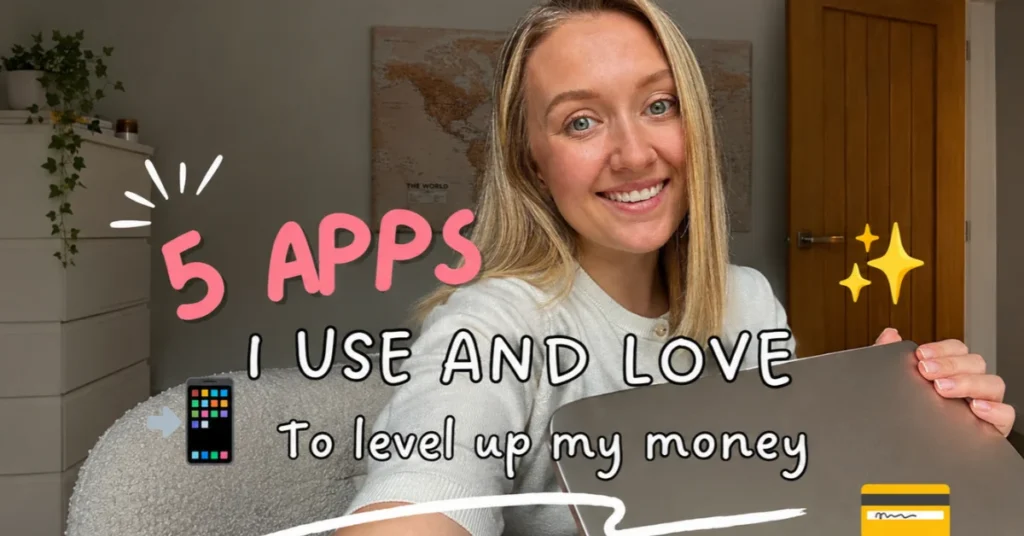
The best money apps UK families can download are the ones that do the boring work for you. I use five of them to save, make and grow my money, and you can start with just one.
You don’t need hundreds of complicated tools to keep your money in check. A few apps that each do one job well are a good place to start. Mine are Dscout for earning, Snoop for budgeting, Airtime Rewards for cashback, Sprive for my mortgage and Trading 212 for investing. Below, I explain what each app does, what to check before you sign up, and who it suits.
Disclosure: This post contains affiliate and referral links to Snoop, Airtime Rewards, Sprive and Trading 212. If you sign up through them, I may get a bonus, and you might get one too, at no extra cost to you. Read my affiliate disclosure. This isn’t personal financial advice. With Trading 212, your capital is at risk. With Sprive, your home may be repossessed if you do not keep up with your mortgage repayments.
Which Money Apps Are Worth Downloading?
Each app on this list has one clear job. Dscout helps you make money. Snoop and Airtime Rewards help you keep more of it. Sprive and Trading 212 help it grow. That mix matters, because cutting back only goes so far. I explain why in earn more or save more.
Most of these apps ask you to connect a bank account or a card. That is normal for budgeting, cashback and mortgage apps. Before you agree, check who runs the app, what it can see and how you switch it off. I cover those points in each section below.
Dscout: Paid Research Studies to Make Extra Money
Dscout is the one app here that makes you money instead of saving it. Companies use it to run research studies and quick surveys, and they pay people to take part. I love how easy it is to use, and the payments are usually really good. When I shared these apps on Instagram, there were studies on Dscout paying £100, and even £200.
Those are the top end, so don’t expect every study to pay that much. You apply, and the researcher decides who takes part. I found the same with paid market research in general. One one-hour call paid me £200 in my £800 Disneyland Paris side hustle challenge, but calls like that don’t turn up on demand. Treat Dscout as a way to pick up extra money when a study fits you, not as a wage.
How Dscout Pays You
Dscout’s help pages describe payments going out through PayPal. For usability tests and media surveys, each payment is held for seven days while the researcher checks the quality of your entry. Researchers can report a poor entry, and that stops the payment. So give full, honest answers.
How to Improve Your Chances With Paid Research Studies
Fill in every profile question. Answer screening questions honestly, because researchers choose who takes part. Apply often, since new studies appear all the time.
Keep a note of what you earn, too. Money from studies is income. GOV.UK explains the £1,000 trading allowance, which can cover small amounts of side income. Whether it applies to you depends on your situation, so read the GOV.UK guidance on tax-free allowances for trading income before you decide.
Dscout is not the only place to find paid studies. I keep the survey and research sites I use on one page.
Snoop: A Free Budgeting App That Shows Where Your Money Goes
Snoop is a free budgeting app. You connect your bank accounts, and it shows exactly how much you’re spending, without you having to log it by hand. You can set an amount for categories like food shopping, and Snoop tracks it for you. That takes the guesswork out of where your money goes.
Snoop connects through Open Banking. The Open Banking website lists Snoop’s operator, Usnoop Limited, in its directory of regulated providers. Snoop says it never sees your bank login details. It needs at least one connected bank or credit card account to work.
Before you set a limit, check your recent bank statements. A food shopping limit works best when it starts from what you really spend. You can then lower it step by step.
If you don’t like the idea of connecting your bank, you don’t have to. My Savvy Budget Reset is a simple, interactive tool that helps you see where your money goes without a complicated spreadsheet. Use it instead of Snoop.
Airtime Rewards: A Cashback App That Lowers Your Phone Bill
I feel like Airtime Rewards doesn’t get the hype it deserves. It works like Sprive, but the money goes towards your phone bill instead of your mortgage. You earn cashback on everyday spending, and that cashback reduces what you pay for your contract. A cheaper phone bill for doing your normal shop is hard to argue with.
It is also one of the only automatic cashback apps left. You link your bank card once, and then you earn cashback whenever you spend at an eligible retailer. You don’t click through a website first. If you want to compare it with the websites that do work that way, I list the other cashback apps I use.
Check three things before you sign up:
- Your network – Bill credit works with some mobile networks and not others, and the list can change. Check the app before you link anything.
- Your shops – Airtime pays cashback at partner retailers only. Look at the list and see if you already shop there.
- Your patience – Rewards add up gradually because they depend on how often you shop with those retailers.
The app now shows as Airtime in app stores. If you sign up, you can use my code XANVDAUD.
Sprive: A Mortgage Overpayment App for Money You Would Spend Anyway
Sprive is a mortgage overpayment app that makes it really easy to chip away at your mortgage. It takes an idea like cashback, but lets you put that money straight towards overpaying your mortgage. You would have spent the money anyway. Now it goes somewhere that makes a difference to your future.
I use Sprive for my food shop. I explain how Sprive works, including the lenders it covers, where your money sits and the risks, in a separate post.
Small amounts can matter. In the example I use there, a £250,000 repayment mortgage over 30 years at 4%, an extra £10 a month saves about £3,300 in interest. That example assumes your rate never changes. I use the same mortgage to show overpaying your mortgage by £100 a month, if you want to see bigger sums.
Check these points before you start:
- Your lender – Sprive works with a set list of lenders, so check yours is on it.
- Your limit – Many lenders cap penalty-free overpayments at 10% of your balance each year. Check your own mortgage terms.
- Your rewards– Shopping rewards can only go towards your mortgage. You can’t take them as cash.
If you’re not sure whether to overpay at all, I compare the options in overpay your mortgage or invest. If you’d like to try Sprive, you can use my code SAVVYS5.
Trading 212: An Investing App for Beginners With a Free Share
Trading 212 is my OG investing app. I’ve used it for over five years. It’s really user-friendly, whether you’re brand new to investing or not. When you join through my link, you can also get a free fractional share.
How the Trading 212 Free Share Works
The share is free, but you do need to open and verify an account and make the minimum deposit. For its Invite a Friend campaign, Trading 212’s help centre says you must do this within 10 days of creating your account. The share arrives within three business days after that. Trading 212 picks the share at random. You can sell it straight away, but you can only withdraw its cash value after 30 days.
Campaigns run for set dates and the terms can change. Check the terms that come with the link you use before you rely on the offer. My link comes with the code SAVVYSP.
Investing Risk and What to Check
Investing carries risk. The value of your investments can go down as well as up, and you can get back less than you put in. Trading 212 says you can’t lose money by claiming the free share, but its value can still rise or fall. Trading 212 UK Ltd is authorised and regulated by the Financial Conduct Authority, firm reference number 609146, according to the same help centre page.
This is general information, not advice. To see how regular investing could grow over time, try my free compound interest calculator. It shows an example, not a promise. If you like sign-up bonuses, I round up more in my free money offers.
Which Money App Should You Start With?
Start with the problem you have today. If you don’t know where your money goes, try Snoop or my Savvy Budget Reset. If your phone bill is high, Airtime Rewards is quick to set up and then works in the background. If you want extra income, create a Dscout profile and apply for studies that suit you.
Sprive suits you if you have a mortgage with a supported lender and you can afford to overpay. Trading 212 suits you if you want to start investing and you understand the risk. Many people like to build some savings for emergencies first.
You don’t need all five. One app that fixes your biggest problem beats five that you never open.
Money Apps FAQs
What are the best money apps in the UK?
It depends on your goal. For earning, I use Dscout. For budgeting, I use Snoop. For cashback, I use Airtime Rewards. For mortgage overpayments, I use Sprive. For investing, I use Trading 212.
Are money apps safe to use?
Check who runs the app and whether the firm is on the FCA register. Check what the app can see and how you remove its access. Apps that use Open Banking can only see what your bank shares with them. Never give any app your banking password.
Can money apps really save me money?
Yes, but the amounts are usually small. For example, 2.5% cashback on a £400 food shop is £10. The bigger gain comes from using the money well. A budgeting app helps you spot waste. A cashback app can send small rewards to your phone bill or mortgage.
Do I need all five apps?
No. Pick the one that fixes your biggest problem and add another later.
My Take on These Money Apps
I think these apps can be a game changer for saving, making and growing your money. You don’t need to use all of them. Starting with a few is a good place to begin.
Which app will you try first? Tell me in the comments. For more deals and ideas, join my newsletter.